QuantiVector โ€” Technical Analysis & Chart Pattern Education Tool for TradingView
๐Ÿ“š Educational technical-analysis tool for TradingView โ€” not investment advice, and not a recommendation to buy or sell any security.
QuantiVector
Pine Script v6 · TradingView Indicator

Catch the trend's next leg with clearly marked BUY & SELL signals

QuantiVector reads every market reaction, waits for real confirmation, and marks the exact moment price turns back in the trend's favor โ€” then plots a reference setup (entry, stop, targets) and a confluence score on your own chart, for you to study and apply at your own discretion.

Works on any market & timeframe ยท Non-repainting signals ยท One-click TradingView alerts

Non-Repainting Any Market, Any Timeframe Live Self-Updating Backtest
8 Confluence Factors Scored
1Trade Open at a Time
LiveSelf-Updating Backtest
0Repainted Signals

Confidence scores and win-rate figures shown on this page are calculated from historical/backtested data, are illustrative, and are not a guarantee of future results.

91%Confluence Score
LiveBacktest Panel
QuantiVector โ€” Illustrative Example
Example
SETUP ZONE BUY ENTRY 64,220 SL 63,410 TP1 65,340 TP3 66,900 91% โ˜…
Example Signals โ€” Illustrative, Not Current Calls
BTCUSD โ–ฒ BUY 91% EURUSD โ–ผ SELL 84% XAUUSD โ–ฒ BUY 88% NAS100 โ–ฒ BUY 76% ETHUSD โ–ผ SELL 69% US30 โ–ฒ BUY 93% GBPUSD โ–ผ SELL 71% SOLUSD โ–ฒ BUY 85% BTCUSD โ–ฒ BUY 91% EURUSD โ–ผ SELL 84% XAUUSD โ–ฒ BUY 88% NAS100 โ–ฒ BUY 76% ETHUSD โ–ผ SELL 69% US30 โ–ฒ BUY 93% GBPUSD โ–ผ SELL 71% SOLUSD โ–ฒ BUY 85%
Signal engine โ€” scanning every candle24/7 ยท Non-repainting
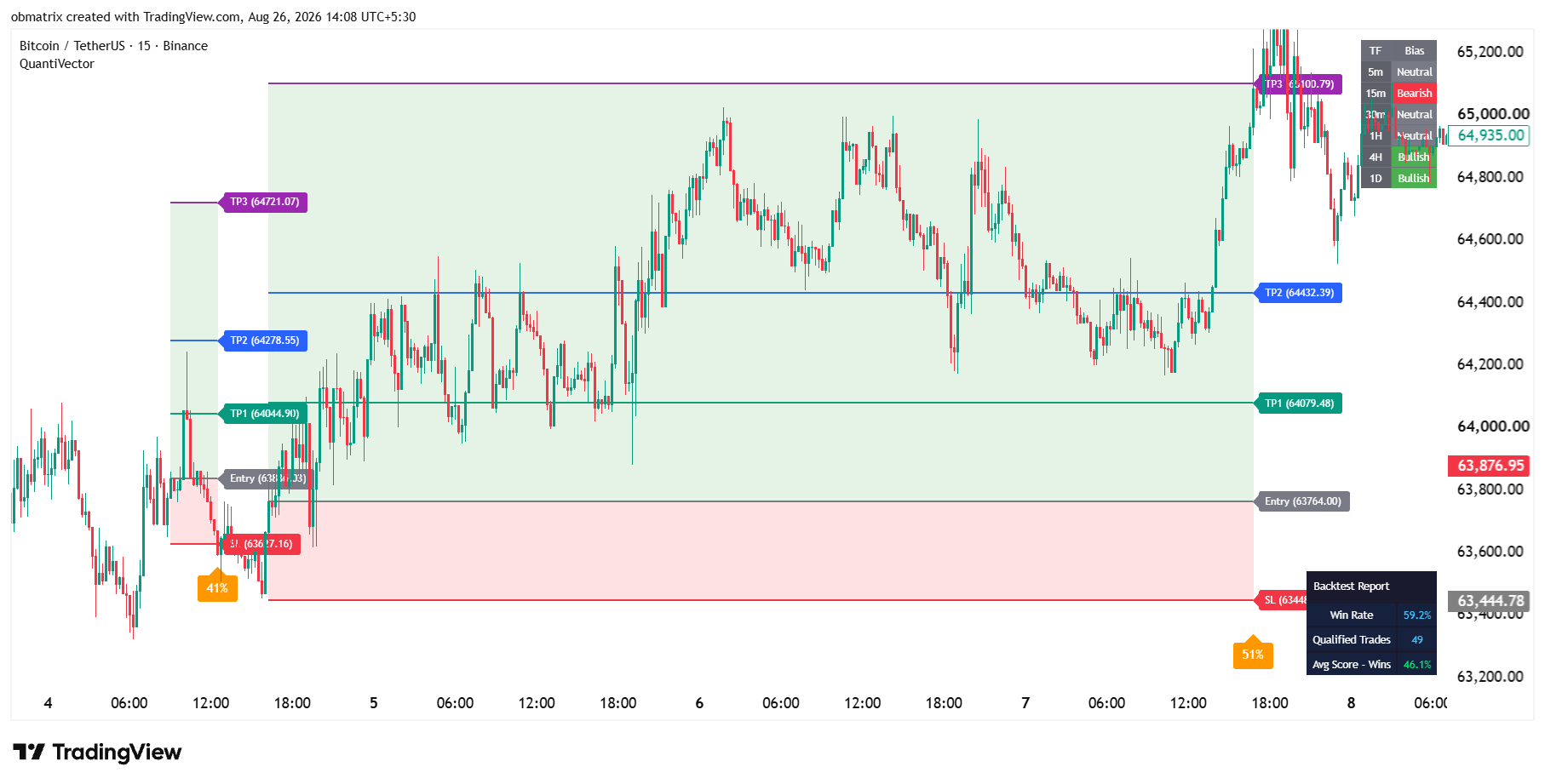
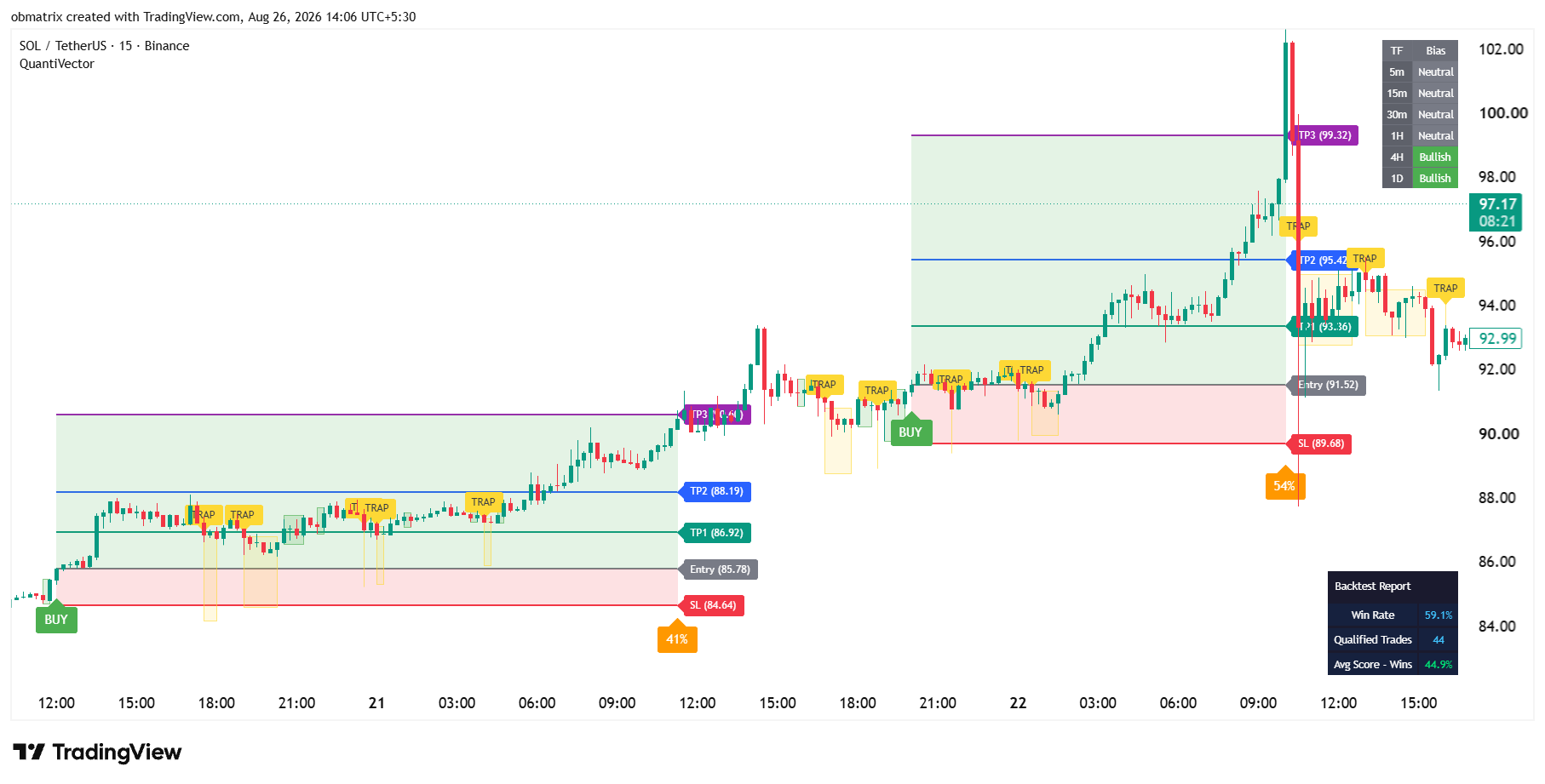
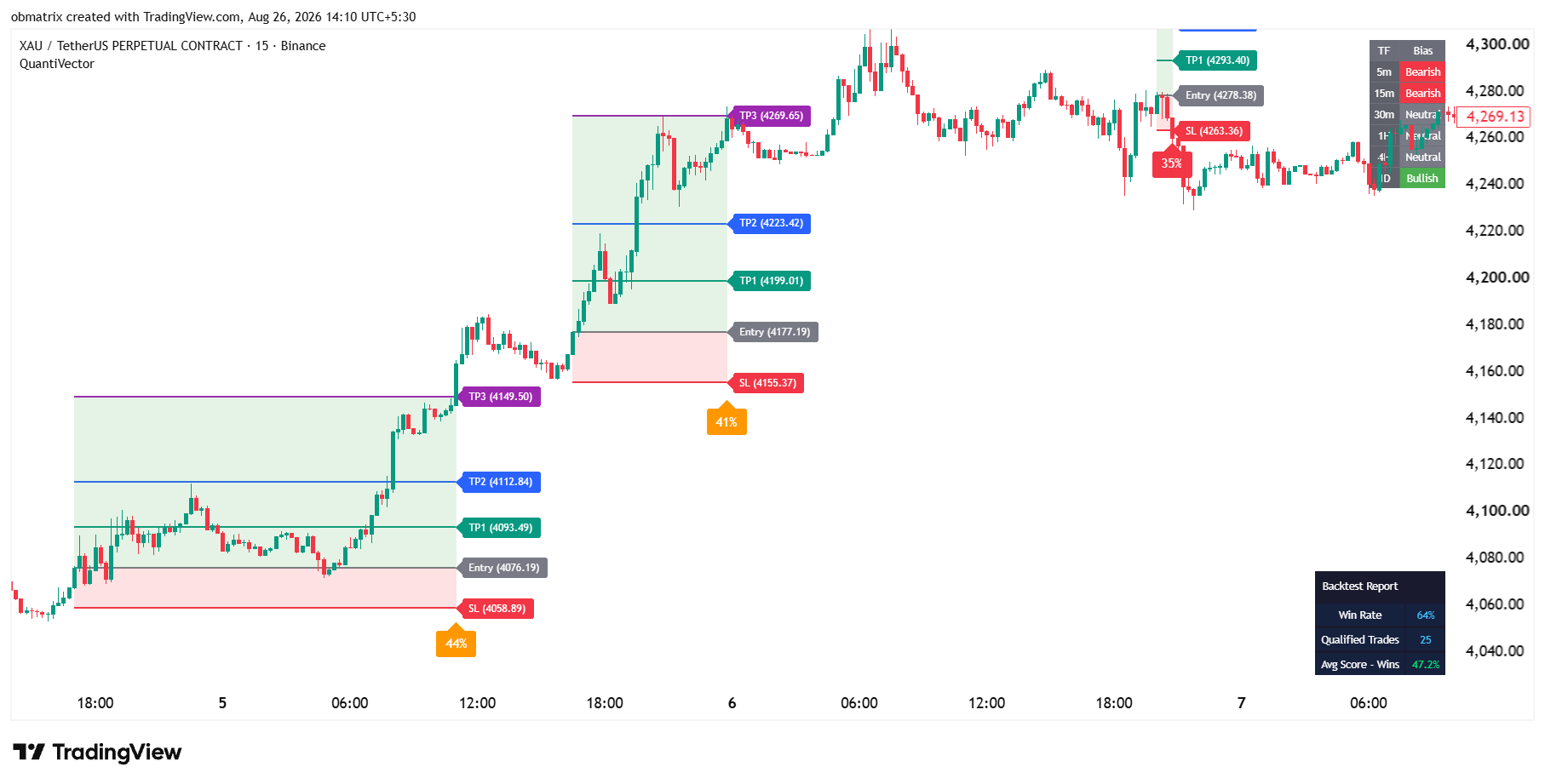
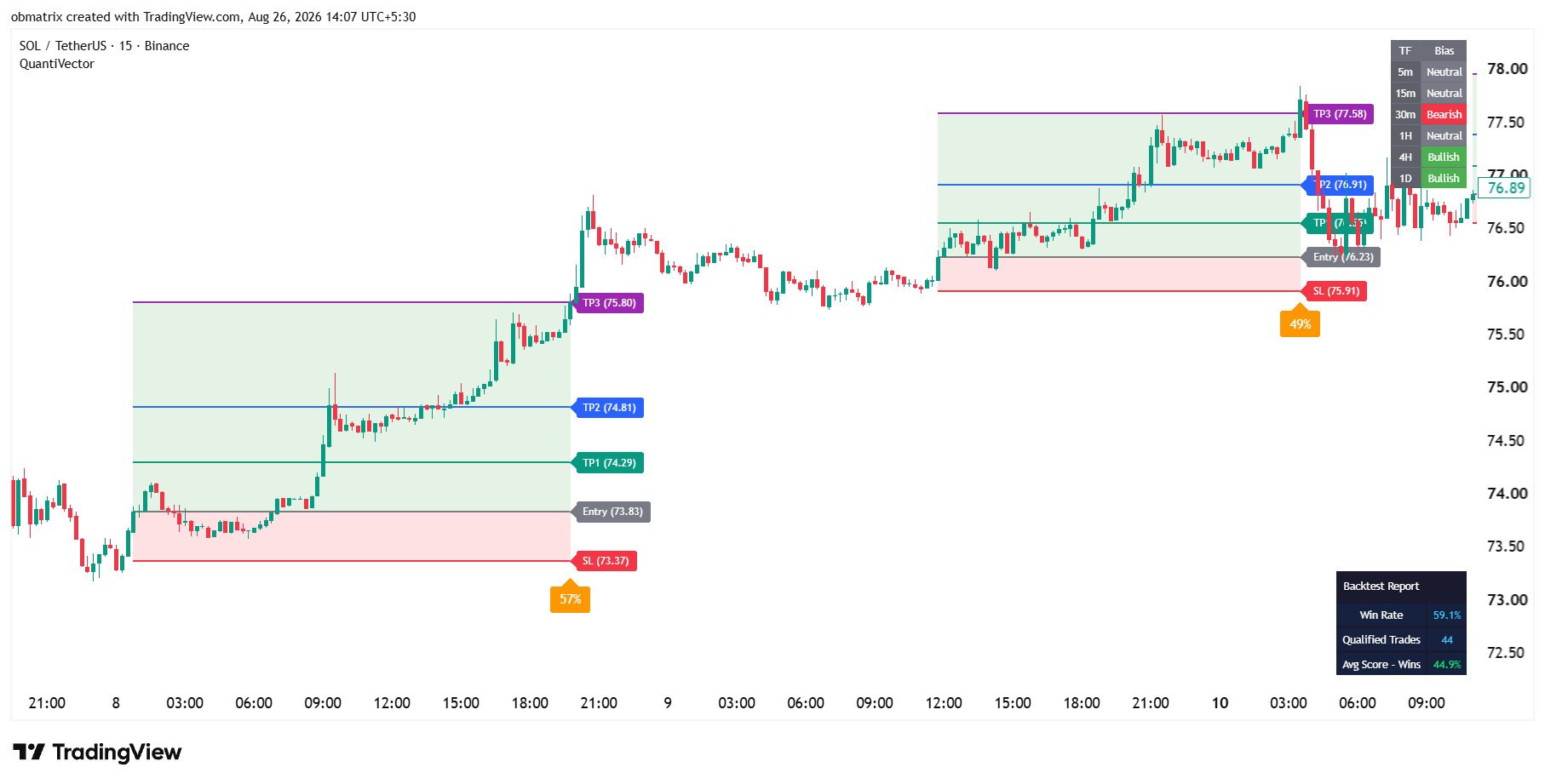
Real Charts, Not Mockups

See QuantiVector draw it live

Pulled straight from TradingView โ€” no mockups, no design tool.

โšก Everything on these charts is generated automatically by QuantiVector โ€” the Setup Zone, Entry, Stop Loss, all 3 Take-Profits, the Confluence Score, the Multi-Timeframe Bias table, and the Backtest Report. Nothing here is hand-drawn. These are historical/backtested examples shown for illustration โ€” not live recommendations or a promise of future results.
The 6 reasons traders buy QuantiVector

Built to find the trade, not just draw lines

These are the core engines doing the work while you watch โ€” every one of them fully automated, updating live on your chart.

Top Feature
BUY SELL

Automated Buy & Sell Signals

No manual chart-reading. QuantiVector confirms and labels every entry the instant price proves it โ€” automatically, on any chart you open.

See it in action โ†’
Top Feature
TP3 ยท fib 1.618 TP2 TP1 ENTRY STOP LOSS

Automated Fibonacci Target & Stop Loss

Entry, Stop Loss, and three Fibonacci-projected take-profits are calculated and placed for you the second a signal fires โ€” no ruler needed.

See it in action โ†’
Top Feature
grows live Frozen โœ“

Auto-Drawn Trade Zone

Risk and reward areas shade themselves in automatically the moment a trade opens, then freeze the instant it resolves โ€” a complete visual record, zero drawing tools.

See it in action โ†’
Top Feature
TRAP ZONE signals muted here BUY

Automatic Trap Zone Detection

Choppy, directionless price gets flagged and signals are automatically muted inside it โ€” keeping you out of the fake-outs that hurt trend-followers most.

See it in action โ†’
Top Feature
ETHUSD ยท 1H โ–พ 75% Win Rate on THIS symbol Calculated automatically โ€” instantly

Instant Win Rate on Any Symbol

Drop QuantiVector on any stock, coin, or pair and it automatically calculates and displays the historical win rate for that exact chart โ€” a study reference, not a prediction of future results.

See it in action โ†’
Top Feature
91% โ˜… TAKE 58% 29%SKIP Take the 91% setups. Skip the 29% ones โ€” automatically scored.

Auto-Scored Signal Strength

Every signal is automatically graded on 8 confluence factors and reduced to one score โ€” a study aid for comparing setups, not a recommendation on position size.

See it in action โ†’
See exactly how it works
How it works

From market reaction to confirmed trade in four steps

The exact detection method stays under the hood โ€” what you see is a clean, repeatable process on every chart you open.

1

Trend Read

QuantiVector continuously reads the market's underlying direction, bar by bar.

2

Setup Zone Marked

A reaction against the trend is grouped into one clean shaded zone โ€” no candle-by-candle clutter.

3

Breakout Confirms

The moment price reclaims the trend direction, a large BUY or SELL label locks in โ€” non-repainting.

4

Plan & Score Attached

Entry, SL, three TPs, and a confluence score are all plotted on your chart automatically โ€” reference points to study, not instructions to follow.

91% strong
58% moderate
29% weak
Signal Strength

How the confluence score is built โ€” a study aid, not a recommendation

Every confirmed signal is stamped with a single, easy-to-read confluence score, blended from eight independent technical conditions โ€” momentum, structure, volume behavior, and multi-timeframe agreement. It's for comparing setups as you study the chart โ€” what you do with any signal is your own decision.

  • Color-coded green / orange / red by strength tier
  • Displayed right at the Stop Loss line โ€” zero extra clicks
  • Weighting logic kept private โ€” only the clean result is shown
  • See how scoring works โ†’
    Signal Strength Breakdown HTF Alignment Reaction Depth Volume Character Trend Strength (ADX) Liquidity Sweep Momentum (MACD) Closing Strength Historical Win Rate 91%

    Illustrative confluence-score breakdown for a confirmed signal โ€” for study purposes, not a recommendation

    Live Backtest Below
    Proof, not promises

    A live scoreboard, right on your chart

    No cherry-picked backtest screenshots. QuantiVector keeps a running, self-updating historical record for the symbol you're studying โ€” win rate, trade count, and average score โ€” for your own research. Historical performance is not a guarantee or prediction of future results.

    See the backtest panel โ†’

    QuantiVector Report โ€” Live

    Live
    Backtest Panel
    248
    Qualified Trades
    88%
    Avg Score โ€” Wins

    Adaptive quality bar auto-recalibrates as market behavior changes. Figures illustrative โ€” your results depend on the chart, timeframe, and market you trade.

    More Tools Included โ†“
    Everything on one chart

    A full toolkit, not just a signal

    Every add-on below is independent โ€” turn on only what you need, without touching the core signal logic.

    Every Plan Full Toolkit No Feature Gates
    ๐Ÿ”ฅ Limited Time Offer

    Get 1 Full Year for โ‚น299

    Full toolkit, no feature gates โ€” at a limited-time launch price.

    ๐Ÿ”ฅ Limited Time Offer ๐Ÿ‘‘ 1 Year โ‚น899 / year
    โ‚น299 / year
    Save 67%

    Setup fee: FREE

    โ‚น299 total today

    A 1-year license to run the QuantiVector script on your own TradingView charts โ€” full toolkit included.

    • Full indicator access
    • All extra tools (VWAP, order blocks, structure)
    • Full alert access
    • Priority support
    Buy 1 Year โ€” โ‚น299
    SL ENTRY TP1 TP2 TP3
    FAQ

    Questions, answered

    Does QuantiVector repaint?

    No. Every signal is calculated from already-closed candle data, so historical BUY/SELL signals never move or disappear after the fact.

    Can I see exactly how the trend or score is calculated?

    The core detection and scoring logic is kept internal to protect the strategy โ€” you get full control over every visual, label, color, and alert instead.

    Which markets and timeframes does it work on?

    QuantiVector runs on any symbol and timeframe available on TradingView โ€” crypto, forex, indices, futures, and stocks.

    Do I need other indicators alongside it?

    No. Signal detection, chart-level marking, confluence scoring, multi-timeframe bias, and backtest tracking are all built in. Extra tools like VWAP and order blocks are optional add-ons.

    Can I rebrand the labels and colors?

    Yes โ€” every label's text, every zone color, and every panel's appearance is fully customizable.

    Ready when you are

    See which reaction is real.

    Get the signal, the reference levels, the confluence score, and the backtest โ€” all on one chart.

    Get Instant Access
    Help & Support